Overview
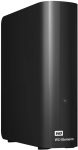
The WD 20TB Elements Desktop External Hard Drive is a high-capacity storage solution designed for users needing extensive space for backups, media files, or professional data management. Featuring USB 3.0 for fast data transfer and plug-and-play simplicity, this drive from Western Digital (WD) is ideal for both home and office use.
In this review, we’ll explore its pros and cons, key features, user experience, performance across different scenarios, and value for money to help you decide if this external hard drive meets your storage needs.
WD 20TB Elements Desktop External Hard Drive, USB 3.0 drive for plug-and-play storage - WDBWLG0200HBK-NESN

- High-capacity add-on storage.Compatibility : Windows 10 plus, Reformatting required for use with MacOS.
- Fast data transfers
- Plug-and-play ready for Windows PCs
- WD quality inside and out
Check some total thoughts
Pros and Cons Values
Pros and Cons
Based on product details and typical user feedback, here’s a breakdown of the pros and cons of the WD 20TB Elements Desktop External Hard Drive:
| Pros | Cons |
|---|---|
| Massive Storage Capacity: 20TB accommodates large media libraries, backups, and professional datasets. | Non-Portable: Desktop design requires external power and is not ideal for frequent travel. |
| Fast Data Transfer: USB 3.0 support ensures quicker file transfers compared to USB 2.0. | No Built-In Encryption: Lacks hardware encryption, requiring software for secure data protection. |
| Plug-and-Play Simplicity: Easy setup with no additional software required for basic use. | Single Interface: Only USB 3.0, no USB-C or Thunderbolt for newer systems. |
| Reliable Brand: Western Digital is known for durable and dependable storage solutions. | Pricey: High capacity comes with a premium cost, though discounts are available. |
Product specifications
Specifications for product
The WD 20TB Elements Desktop External Hard Drive is designed for high-capacity storage with straightforward usability. Below is a summary of its key features:
| Feature | Description |
|---|---|
| Storage Capacity | 20TB, ideal for large backups, 4K media, and extensive data archives. |
| Interface | USB 3.0 (backward compatible with USB 2.0) for fast data transfer speeds. |
| Plug-and-Play | Ready to use out of the box with Windows; reformatting required for Mac. |
| Design | Sleek, durable desktop enclosure with external power adapter for stable operation. |
| Compatibility | Works with Windows, Mac (with reformatting), and devices supporting USB storage. |
Judge?
What about Verdict?
User Experience
The WD 20TB Elements Desktop External Hard Drive offers a user-friendly experience, particularly for those needing vast storage. Setup is seamless—plug it into a USB port, connect the power adapter, and it’s ready to use on Windows systems. Mac users may need to reformat the drive to HFS+ or APFS, which is straightforward but requires an extra step. The drive operates quietly, with minimal vibration, and its sleek black design blends well on a desk. Data transfers are notably fast with USB 3.0, making it efficient for moving large files like 4K videos or game libraries. However, the need for an external power source limits its portability.
Performance in Different Scenarios
- Home Media Storage: Perfect for storing extensive media collections, such as 4K movies, music libraries, or photo archives, with enough space for thousands of files.
- Backup and Archiving: Ideal for full system backups or long-term data archiving, especially for professionals managing large datasets or creative projects.
- Gaming: Great for gamers needing extra storage for large game files or console backups, though the desktop form factor is less convenient for frequent transport.
- Office Use: Reliable for businesses requiring centralized storage for documents, databases, or collaborative projects, though it lacks built-in encryption for sensitive data.
Value for Money
The WD 20TB Elements Desktop External Hard Drive offers strong value for users needing high-capacity storage. Recent posts on X indicate it was available for $270 during a Prime sale, a significant discount from its typical retail price of around $400-$500, making it a cost-effective choice for 20TB of storage. The cost per terabyte is competitive compared to other high-capacity drives, and WD’s reliability adds to its appeal. While the initial investment is substantial, the massive storage and fast USB 3.0 performance make it a worthwhile purchase for those with extensive storage needs, particularly at discounted prices.
Price list of packages?
Where to Buy and price list
Conclusion
The WD 20TB Elements Desktop External Hard Drive is a robust and reliable solution for users requiring vast storage capacity for media, backups, or professional use. Its plug-and-play simplicity, fast USB 3.0 speeds, and Western Digital’s trusted durability make it a top choice for desktop storage. While its non-portable design and lack of built-in encryption may be drawbacks for some, the value—especially during sales—makes it an excellent option for high-capacity needs. If you’re seeking a dependable, high-volume external drive for home or office, the WD 20TB Elements is highly recommended.
Add your rating